PhotoSelect: find and delete blurry, similar and burst photos on iPhone
PhotoSelect is an iPhone photo cleaner. On-device AI finds similar photos, bursts, blurry shots and closed eyes, keeps the best one and deletes the rest. Works offline. Free to try, one-time purchase, no subscription, no ads.
On-device, works offlinePhotos are never uploaded. No account.
One-time purchaseNo subscription, no auto-renewal.
No adsNot in Free, not in Pro.
01
What PhotoSelect is
PhotoSelect (full name on the App Store: PhotoSelect: AI Photo Culling) is a free-to-try iPhone and iPad app by Rivership, an indie studio in Tokyo. It is for people whose iPhone storage is full after hundreds of photos from a trip, a kid's event or a sports day. The AI picks the best photo from every burst or group of similar photos, flags blurry shots and closed eyes, and lets you delete the rest in one go.
Everything runs on the device: photos are never uploaded, no account is needed, and it works without an internet connection. There are no ads. PhotoSelect Pro is a single one-time purchase (US$19.99 in the United States at the time of writing; the price shown in the app is authoritative and is lower in some countries). There is no subscription.
02
Questions PhotoSelect answers
How do I delete blurry photos on iPhone? The AI flags out-of-focus and shaky shots so you can remove them in bulk.
How do I remove similar photos and bursts? Similar photos and bursts are grouped, with the best one suggested in each group.
How do I pick the best photo from a burst? It scores focus, faces, expressions, open eyes and exposure.
How do I find photos where someone has their eyes closed? Closed eyes are detected and flagged.
How do I get a sharp photo out of a video? Best shot from video scores every frame and saves the single best one as a photo. The video is left untouched.
How do I free up iPhone storage without deleting anything? Re-encode large videos in the smaller HEVC format at the same quality, or turn Live Photos into stills. The new copy is saved first; then you choose whether to delete the original.
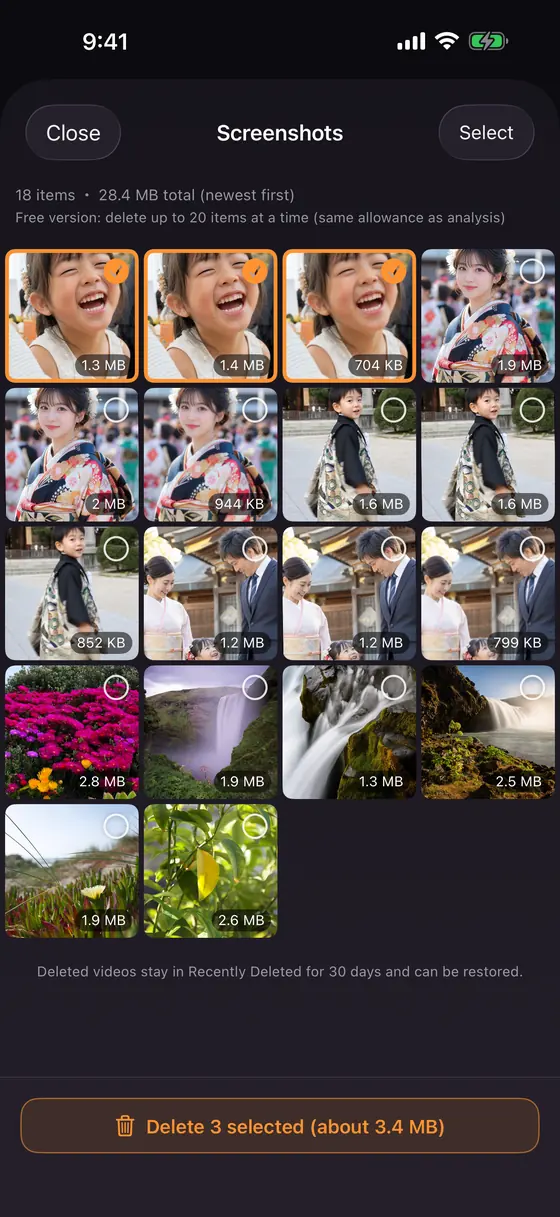
How do I clean up screenshots and screen recordings? They can be cleaned in bulk from the Categories tab.
How do I find the largest videos on my iPhone? Large videos are listed by size so you can remove the biggest first.
Is there a photo cleaner without a subscription? Yes. PhotoSelect Pro is a one-time purchase.
Is there a photo cleaner that doesn't upload my photos? Yes. All analysis runs on your iPhone or iPad, even with no internet connection.
03
Features
Three tabs: Auto Clean, Swipe and Categories. Each one is a different way to get the same result: fewer photos, more space.
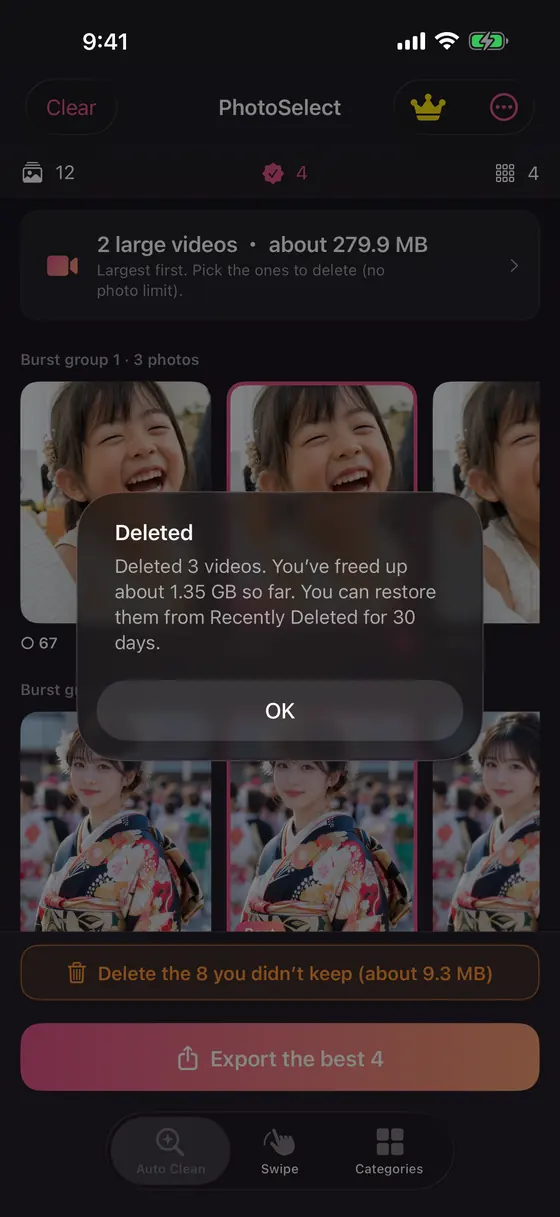
Auto CleanAI groups bursts and similar photos and suggests the keeper from each group.
Blurry shots, closed eyes and poor exposure are flagged. Export the keepers, delete the rest in one tap.
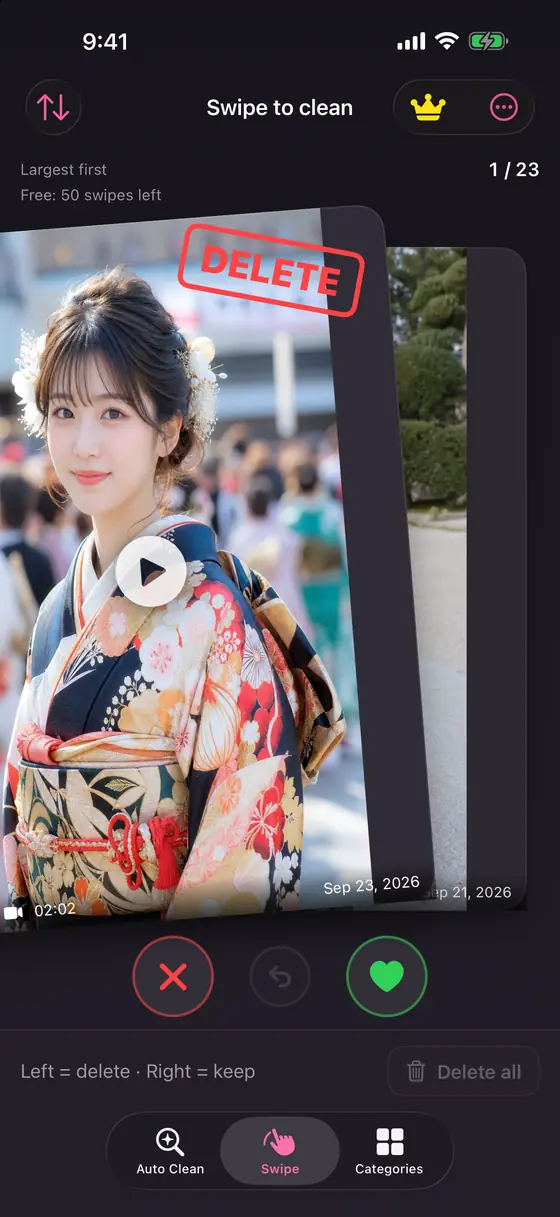
SwipeGo largest-first or newest-first, swipe left to delete and right to keep.
Your delete candidates and position are saved, so you can pick up where you left off.
CategoriesScreenshots, screen recordings and large videos, with deletion in bulk.
Large videos are listed by size so the biggest ones go first.
Also in PhotoSelect
Best shot from video: picks the single best frame of a video (focus, faces, open eyes, brightness) and saves it as a photo.
Free up space without deleting: re-encode large videos to HEVC at the same resolution, or convert Live Photos to stills. Keeps running in the background while you use the rest of the app (background continuation on iOS 26 or later).
Years ago today: when you have photos taken on this date in past years, a card appears at the top of the Auto Clean tab so you can swipe through just that day.
Favorites always kept: photos you marked as Favorites in the Photos app are always suggested as keepers.
Recoverable: deleted photos stay in Recently Deleted for 30 days.
Private and offline: all analysis runs on your iPhone or iPad. No upload, no account, no internet needed, no ads.
Open the Auto Clean tab (or pick photos yourself). The tabs are Auto Clean, Swipe and Categories.
The AI suggests which photo to keep in each group and flags blurry, closed-eye and badly exposed shots.
Export the keepers and delete the rest. After every delete you see exactly how much space you freed. Deleted photos stay in Recently Deleted for 30 days.
05
Free and Pro
Free
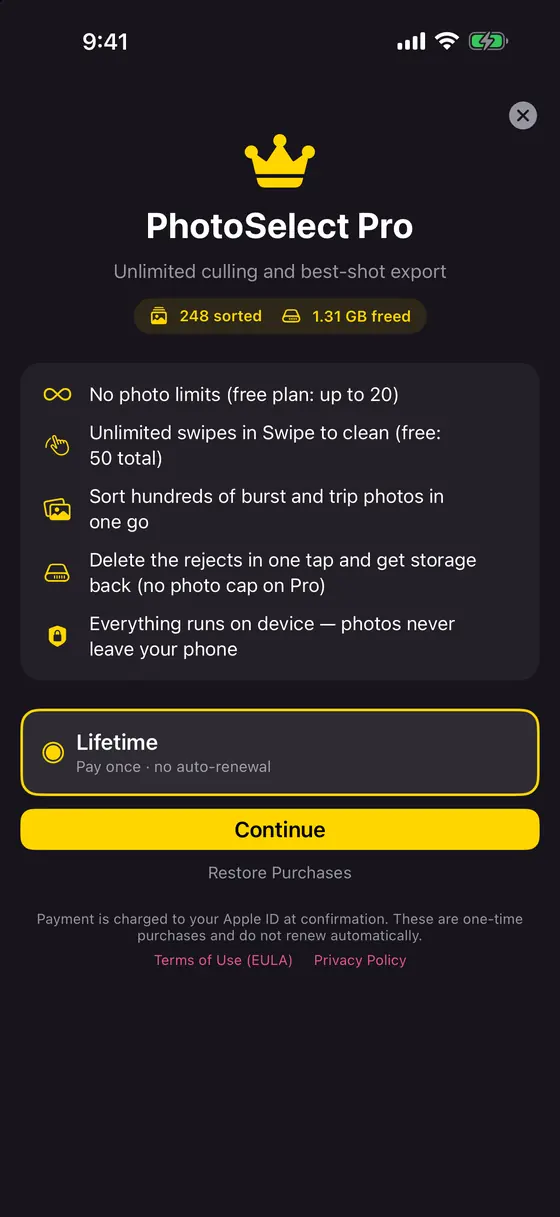
Pro (one-time purchase)
AI culling and deleting
Up to 20 photos
No limit
Swipe cleaning
Up to 50 swipes
No limit
Best shot from video
Up to 3 saves
No limit
Free up space without deleting
1 video and 5 Live Photos
No limit
Whole library in one go
No
Yes
Ads
None
None
Auto-renewal
None
None
Anyone who already has an active subscription from an earlier version keeps it as before.
Start free. Upgrade once if you need more.
Pro unlocks the whole library. No auto-renewal, ever.
How PhotoSelect differs from the iPhone's built-in Duplicates album
The Photos app on iOS 16 and later has a Duplicates album that finds exact and near-exact copies and merges them. PhotoSelect works on a different problem: bursts and similar but not identical photos (ten shots of the same scene), plus quality problems the Duplicates album does not look at: blur, closed eyes and exposure. It suggests the one photo to keep, and you decide. Use the Duplicates album first for exact copies, then PhotoSelect for everything that is similar, blurry or oversized.
07
FAQ
What is PhotoSelect?
An iPhone and iPad app that uses on-device AI to find blurry photos, similar photos, bursts and closed eyes, keep the best shot and delete the rest, so you can free up storage. It can also free up space without deleting by re-encoding large videos to HEVC or turning Live Photos into stills.
Does PhotoSelect upload my photos?
No. All analysis runs on your iPhone or iPad. Photos are never sent to a server and no account is needed.
Does PhotoSelect work offline?
Yes. It does not need an internet connection to analyze, swipe, delete or re-encode. Only the App Store purchase needs a connection.
Is PhotoSelect a subscription?
No. Pro is a one-time purchase with no auto-renewal. Anyone who already has an active subscription from an earlier version keeps it as before.
Does PhotoSelect show ads?
No. There are no ads in the free version or in Pro.
What can I do for free?
Try AI culling and deleting on up to 20 photos, swipe cleaning up to 50 times, up to 3 saves from videos, and re-encoding of 1 video and 5 Live Photos.
Can I get deleted photos back?
Yes. Deleted photos go to Recently Deleted on your iPhone and stay recoverable for 30 days. If you use iCloud Photos, a delete on your iPhone also removes the photo from your other synced Apple devices, as with any delete in the Photos app.
What does the AI look at?
Focus and blur, closed eyes, faces and expressions, and exposure. It groups bursts and similar photos and suggests one keeper per group. Favorites are always suggested as keepers. The AI only suggests; deleting is always your action.
How is it different from the Duplicates album in the Photos app?
The Duplicates album finds exact or near-exact copies. PhotoSelect handles bursts and similar-but-different photos and also flags blur, closed eyes and bad exposure, then suggests which one to keep.
Does re-encoding a video reduce its quality?
The resolution is kept. The video is re-encoded in HEVC, which is smaller at the same quality. The new copy is saved first; the original is deleted only if you choose to.
Which languages and devices are supported?
English, Japanese, Portuguese (Brazil), Spanish, French, German, Italian and Dutch. iPhone and iPad on iOS 17 or later. The download is about 14 MB.
 iPhone & iPad · iOS 17 or later · Version 1.0.19
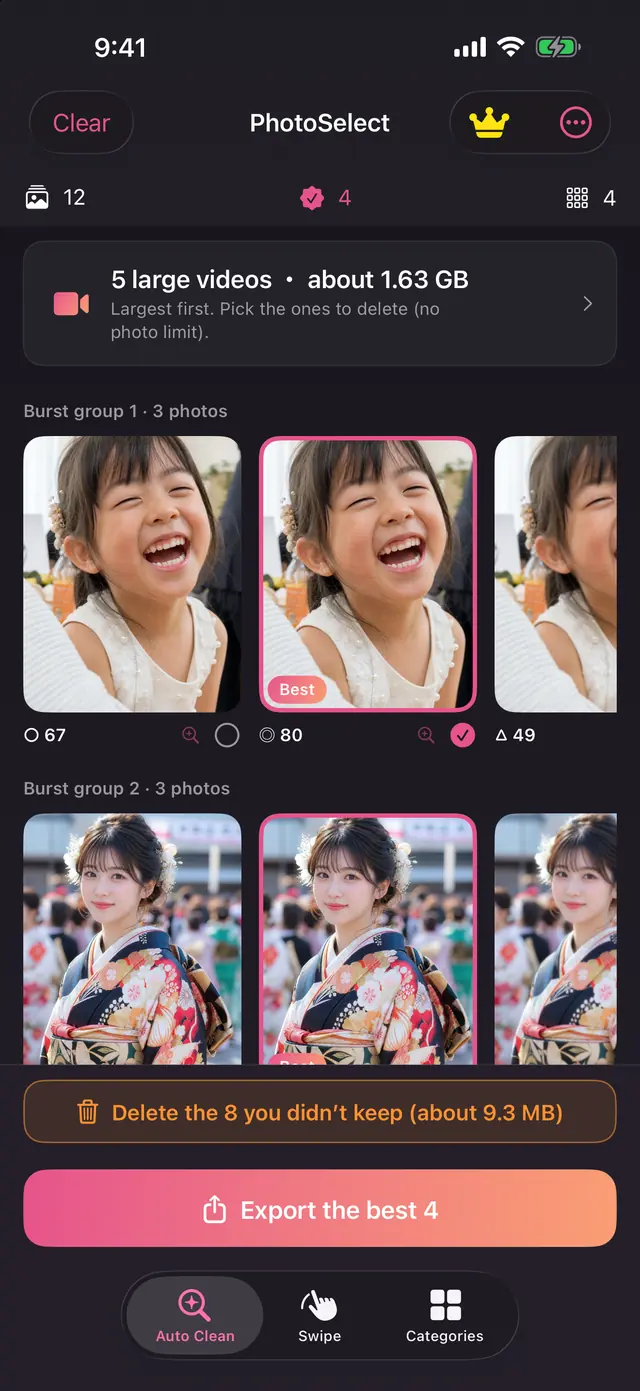 BEST = keeper