01
What Seamshot is
Seamshot (App Store name: Seamshot: Long Screenshot) is an iPhone and iPad app by Rivership, an indie studio in Tokyo. It is for people who want a single long screenshot of a web page, chat or article on an iPhone.
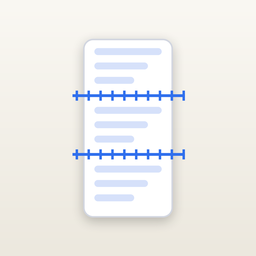
You take normal screenshots while scrolling, leaving a little overlap, then pick them in Seamshot. It lines them up and joins them into one tall image you can save to Photos or share.
02
Questions Seamshot answers
- How do I take a long screenshot on iPhone? Scroll and screenshot with some overlap, then pick the screenshots in Seamshot to join them.
- How do I stitch screenshots together on iPhone? Seamshot detects the overlap between screenshots and joins them; you can drag any seam to fix it.
- Can I save a long screenshot as a PDF? Yes, in Pro: export a paged PDF.
- What if the result is very tall? Pro can split a long result into 2 to 12 parts. Large images are rendered in tiles to avoid running out of memory.
03
What it can do
- Overlap detection: compares rows of pixels so text, chats and lists line up; status bars, navigation bars and the home bar are removed.
- Seam adjustment: drag a seam up or down; the overlap is shown in pixels.
- Ordering: screenshots are sorted by capture time, and you can drag to reorder or reverse them.
- Output formats: PNG for sharp text or JPEG for smaller files.
- Tile rendering: very tall results are rendered tile by tile.
- Pro exports: split a long result into 2 to 12 parts, or export a paged PDF.
04
What it does not do
- It does not capture scrolling screens by itself; you take the screenshots yourself.
- It works with screenshots from the photo library, not live web pages.
- It does not edit or annotate the images.
05
Pricing
Free: stitch up to 3 screenshots at a time. Pro is a one-time purchase with no subscription: unlimited screenshots per stitch, split long results into 2 to 12 parts, and paged PDF export. The price is shown in the app.
| Free | Pro (one-time) |
|---|
| Screenshots per stitch | Up to 3 | Unlimited |
| Split into parts (2 to 12) | No | Yes |
| Paged PDF export | No | Yes |
| Ads | None | None |
06
Privacy and data
Seamshot has no account, no ads and no analytics. Your screenshots are processed on the device and are never uploaded. It reads the screenshots you pick and writes the result to your photo library. The app goes online only to check whether a newer version is available.
07
FAQ
What is Seamshot?
An iPhone app that joins scrolling screenshots into one long screenshot.
Does it upload my screenshots?
No. Everything is processed on the device.
Is it free?
Free for up to 3 screenshots per stitch. Pro is a one-time purchase.
Does it work offline?
Yes. Stitching needs no connection.
Can I fix a bad seam?
Yes, by dragging the seam; the overlap is shown in pixels.
PNG or JPEG?
Both. PNG keeps text sharp; JPEG makes smaller files.
Which devices and languages?
iPhone and iPad on iOS 17 or later. English and Japanese.
 iPhone & iPad · iOS 17 or later · Version 1.0.1