What Unhook is
Unhook (full name on the App Store: Unhook: Block Apps on Schedule) blocks the apps you pick during the hours you pick. Set a window for chosen days, such as weekdays from 9:00 to 18:00 or every night from 22:00 to 6:00. Inside the window, selected apps show a shield. Outside it, nothing changes.
Everything stays on your iPhone. There is no account, analytics, advertising or network access. Unhook asks for Screen Time permission to shield the apps you choose. The free version includes one schedule, up to 3 apps and 3 breaks a day, forever.
Questions Unhook answers
- How can I block apps only during work hours? Choose the apps and set a schedule for your workdays and hours.
- Can I block apps overnight? Yes. A time window can run across midnight, such as 22:00 to 6:00.
- Can I use an app blocker without a subscription? Yes. Unhook has a free version, and Unhook Pro is a one-time purchase.
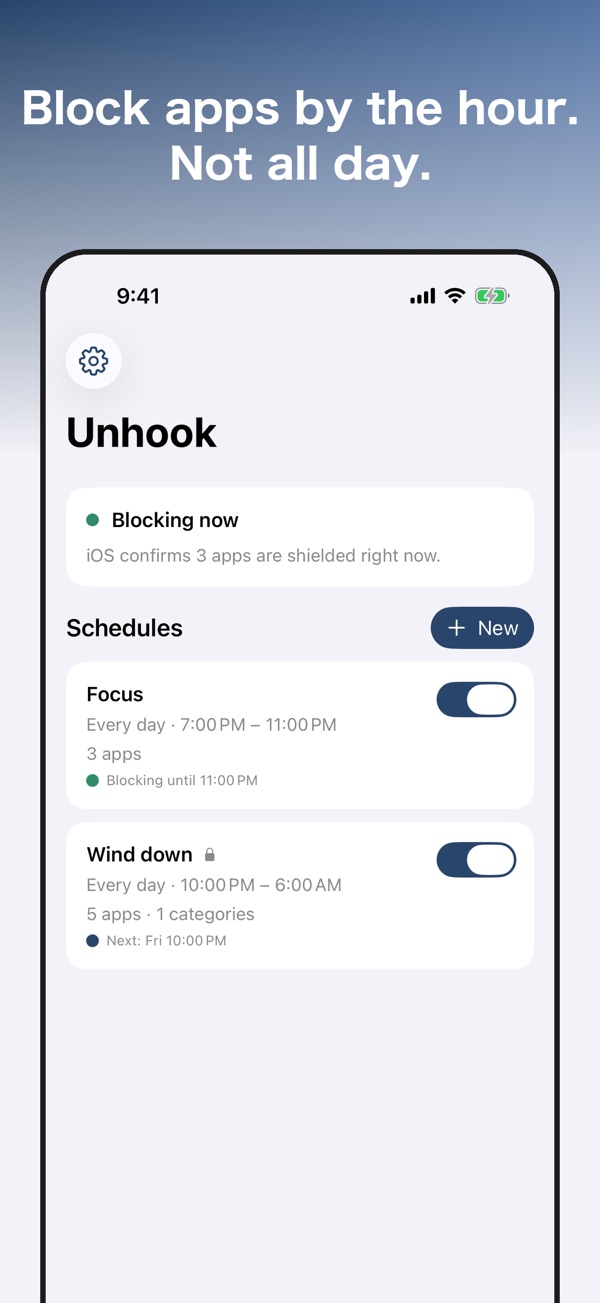
- How can I check whether blocking is active? The home screen reads the shield state back from iOS and shows what is actually shielded and which schedules iOS has registered.
- Can I take a short break from blocking? The free version allows 3 breaks per day, with 5 minutes of use each. Pro lets you set your own break rules.
Features
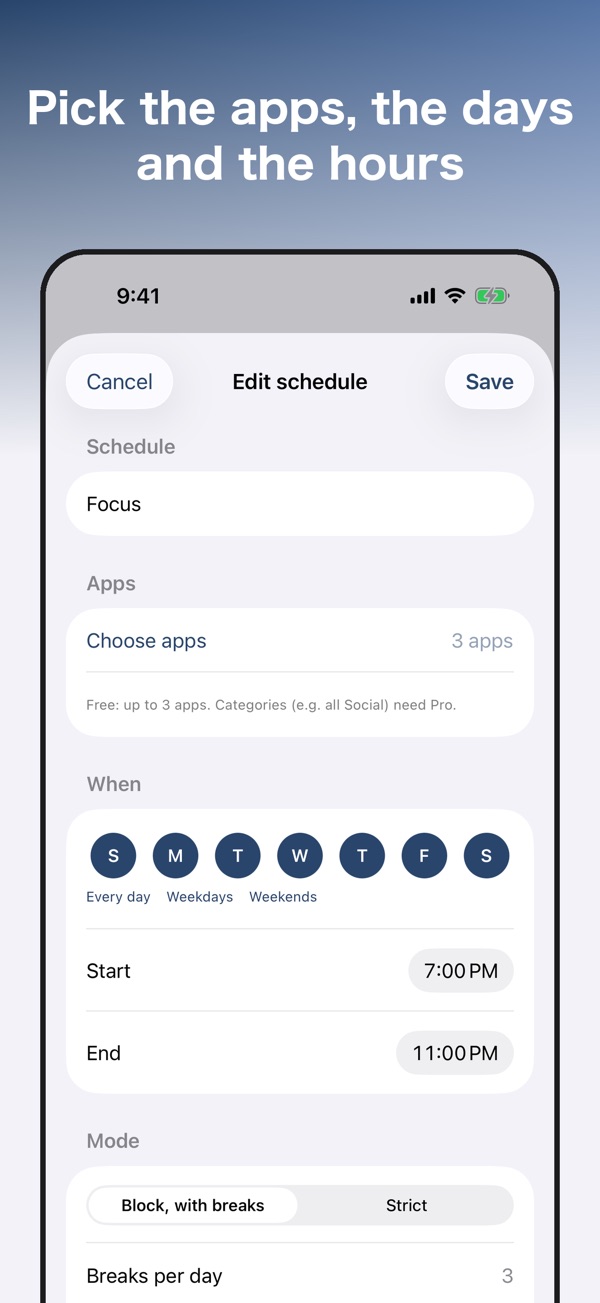
- Scheduled app blocking: choose apps with the system picker, then choose days and a time window.
- Visible blocking status: the home screen reads the shield state from iOS, shows registered schedules and reports when something is off.
- Limited breaks: take 3 breaks per day, with 5 minutes of use each. When they run out, the shield stays up for the day.
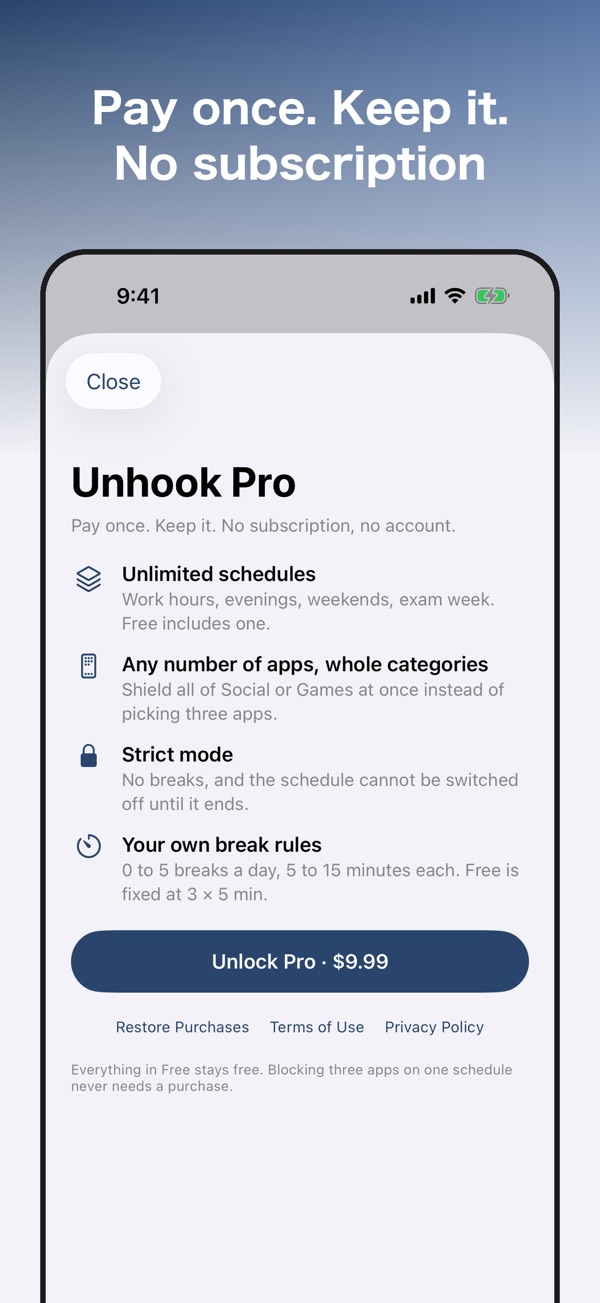
- Strict mode (Pro): no breaks, and the mode cannot be switched off until the scheduled window ends. The Settings removal button can still clear every shield and schedule immediately.
- Categories and websites (Pro): block whole categories and websites, with any number of apps and unlimited schedules.
- Custom break rules (Pro): set your own break rules.
- Immediate removal: one button in Settings removes all shields and schedules, including strict ones. Unhook never blocks its own removal.
- Private on your iPhone: no account, analytics, ads or network.
How it works
- Choose the apps with the system picker. Pro also supports whole categories and websites.
- Choose the days and time window, such as weekdays from 9:00 to 18:00 or every night from 22:00 to 6:00.
- During that window, selected apps show a shield instead of opening. Outside it, nothing changes. Check the home screen to see the shield state and schedules registered with iOS.
Free and Pro
| Free | Pro (one-time purchase) | |
|---|---|---|
| Schedules | 1 | Unlimited |
| Apps | Up to 3 | Any number |
| Breaks | 3 per day, 5 minutes of use each | Your own break rules |
| Whole categories and websites | No | Yes |
| Strict mode | No | Yes |
| Account, analytics, ads or network | None | None |
| Subscription | None | None |
The free version stays free forever. Unhook Pro is a one-time purchase. Nothing is locked before you see the price.
FAQ
What app can block selected iPhone apps during certain hours?
Unhook lets you choose apps, days and a time window. During that window, the selected apps show a shield instead of opening. Outside it, nothing changes.
Can I schedule app blocking overnight?
Yes. You can set an overnight window, such as every night from 22:00 to 6:00.
What can I do for free?
The free version includes one schedule, up to 3 apps and 3 breaks per day, with 5 minutes of use each. It stays free forever.
Does Unhook require a subscription?
No. Unhook Pro is a one-time purchase. It adds unlimited schedules, any number of apps, whole categories and websites, strict mode and custom break rules.
What happens when I use all my breaks?
After the 3 daily breaks are used, the shield stays up for the day. Each break allows 5 minutes of use. Pro lets you set your own break rules.
Can I turn off strict mode before the scheduled window ends?
Strict mode has no breaks and cannot be switched off until the window ends. However, the removal button in Settings immediately removes every shield and schedule, including strict ones.
How do I know whether Unhook is actually blocking apps?
The home screen reads the shield state back from iOS and shows what is actually shielded right now and which schedules iOS has registered. If anything is off, it says so.
Can I block whole categories or websites?
Yes. Unhook Pro supports whole categories and websites, as well as any number of apps and unlimited schedules.
Does Unhook need an account or internet connection?
No. Everything stays on your iPhone. Unhook has no account, analytics, ads or network access. It asks for Screen Time permission to shield the apps you choose.
How do I remove all app blocks?
Use the button in Settings to remove every shield and schedule immediately, including strict ones. Unhook never blocks its own removal.